
Download Astra – AI‑Driven Math Tutoring Tool for Students
Introduction
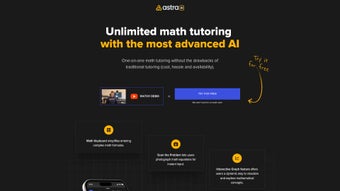
Astra is a cloud‑native, AI‑powered math tutoring platform that brings a personal tutor to any device with an internet connection. Designed for learners from middle school through university, Astra blends a conversational AI engine with a suite of interactive tools that make solving equations, visualizing functions, and mastering concepts feel natural and engaging. The heart of the system is the “Magic Notebook,” a persistent workspace that records every step you take, allowing you to revisit past sessions, compare approaches, and monitor progress over weeks or months.
Astra’s real‑time “scan the problem” feature lets you photograph a handwritten or printed problem, instantly converting it into editable text that the AI can dissect and explain. A built‑in custom math keyboard eliminates the need to learn LaTeX syntax, while an interactive graphing module draws curves and surfaces on the fly, turning abstract symbols into concrete visual insights. Because Astra runs entirely in the browser, there is no bulky installation, and updates are pushed automatically, ensuring you always have the latest curriculum alignments and UI improvements.
Early adopters report measurable gains in test scores, higher classroom participation, and a significant reduction in time spent on repetitive homework tasks. Whether you are struggling with linear equations, preparing for AP Calculus, or exploring multivariable calculus, Astra provides a secure, affordable, and continuously updated environment that scales with your mathematical journey.
Features, Installation & How to Use Astra Effectively
Getting started with Astra is straightforward: simply navigate to the official website, create a free account, and you are ready to begin. No download or installation is required beyond a modern web browser. For users who prefer a dedicated shortcut, Astra offers a lightweight PWA (Progressive Web App) that can be added to your desktop or mobile home screen, providing an app‑like experience while still leveraging the cloud backend.
- AI‑Powered Step‑by‑Step Tutor: Generates detailed explanations for problems ranging from basic arithmetic to advanced calculus, adapting the language to the learner’s proficiency.
- Custom Math Keyboard: Provides quick access to symbols, fractions, Greek letters, and common operators without typing LaTeX.
- Scan the Problem: Upload a photo or use a webcam to instantly convert handwritten or printed equations into editable digital format.
- Interactive Graphing Engine: Real‑time plots that react to parameter changes, supporting 2‑D and 3‑D visualizations.
- Magic Notebook Workspace: Automatically logs every interaction, enabling revision, comparison, and progress tracking.
- Personalized Learning Path: AI analyzes performance trends and recommends targeted practice problems.
- Secure Cloud Storage: All sessions are encrypted (TLS 1.3 in transit, AES‑256 at rest) and synced across devices.
- Automatic Updates: New problem types, curriculum alignments, and UI refinements are deployed without user intervention.
Step‑by‑Step Installation & Usage Guide
- Create Your Account: Visit astra.example.com, click “Sign Up,” and provide a valid email address. Verify the account via the confirmation link.
- Set Up Your Profile: After logging in, select your grade level, current math topics, and learning goals. Astra uses this data to calibrate difficulty and suggest relevant practice sets.
- Explore the Dashboard: The main interface presents four tabs – “Practice,” “Tutor,” “Graph,” and “Notebook.” Begin with “Practice” to warm up with a few curated problems.
- Use the Scan Feature: Click the camera icon, capture a textbook problem, and watch Astra convert it into editable form. The AI then walks you through each step, prompting you to input intermediate results.
- Leverage Interactive Graphs: Switch to the “Graph” tab for functions, inequalities, or parametric equations. Drag sliders to see how coefficients affect the shape, reinforcing the link between algebraic expressions and geometric representation.
- Review Your Magic Notebook: After each session, open the “Notebook” to see a chronological log. Astra highlights hesitation points, offers alternative strategies, and records time spent per step.
- Track Progress: Weekly summary emails provide a visual dashboard of strengths, weaknesses, and suggested next‑step topics.
Pros & Cons
Pros
- Unlimited, on‑demand tutoring without hourly fees.
- AI explanations adapt to individual knowledge levels.
- Instant scanning eliminates manual transcription.
- Interactive graphs make abstract concepts tangible.
- Cross‑platform access via any modern browser.
- Secure, encrypted cloud storage protects privacy.
- Continuous free updates keep curriculum current.
Cons
- Requires a stable internet connection; offline mode is limited.
- Advanced topics (e.g., differential equations) may need supplemental resources.
- AI tone can feel formal for some younger learners.
- Premium tier required for custom lesson plans and priority support.
Compatibility, System Requirements & Technical Details
Astra is a true web application, meaning it runs on any device that supports a modern HTML5‑compatible browser. Officially supported operating systems include Windows 10/11, macOS 10.15 (Catalina) and later, Chrome OS, as well as mobile platforms Android 8.0+ and iOS 13+. For optimal performance, we recommend the latest versions of Chrome, Edge, Safari, or Firefox because they fully support WebGL for the interactive graphing engine and WebRTC for the webcam‑based scanning feature.
Minimum hardware requirements are modest: a stable broadband connection (minimum 5 Mbps), a webcam or built‑in camera for scanning, and a device capable of rendering HTML5 canvas elements. Because all heavy processing occurs on Astra’s secure cloud servers, local CPU/GPU demands are low, making the platform suitable for older laptops or tablets. Temporary cache files are stored locally, but no persistent data is saved on the device, ensuring privacy and freeing up storage space.
Security & Data Privacy
Astra adheres to industry‑standard security protocols. All data in transit uses TLS 1.3 encryption, and data at rest is protected with AES‑256 encryption. The platform complies with GDPR and FERPA regulations, guaranteeing that student information is never sold or shared with third parties without explicit consent. Users can delete their accounts and all associated data at any time via the account settings page.
Pricing & Offers
The core tutoring service, including unlimited AI assistance, scanning, graphing, and cloud storage, is offered completely free of charge. Optional premium subscriptions unlock advanced analytics, custom lesson planning, priority email support, and offline‑ready practice packs. Pricing starts at $9.99 USD per month, with annual discounts available.
Frequently Asked Questions (FAQ) & Conclusion
Is Astra free to use?
Astra offers a robust free tier that includes unlimited AI tutoring, the custom math keyboard, scan feature, and interactive graphing. Premium plans unlock advanced analytics, custom lesson plans, and priority support.
Can I use Astra on a tablet or smartphone?
Yes. Astra’s responsive design works on Android and iOS devices. The scan function works with any device that has a camera, and the graphing tool adapts to touch input.
How secure is my data on Astra?
All user data is encrypted in transit (TLS 1.3) and at rest using AES‑256 encryption. Astra complies with GDPR and FERPA standards, ensuring student privacy is protected.
Do I need any special software to run Astra?
No additional software is required. A modern web browser (Chrome, Edge, Safari, or Firefox) is sufficient. For the scan feature, a webcam or device camera is needed.
How does Astra differ from other math apps?
Unlike static answer‑lookup apps, Astra emphasizes process over product. Its Magic Notebook records each reasoning step, fostering independence rather than rote answer retrieval. The AI also adapts to individual learning gaps, offering a truly personalized tutoring experience.
In summary, Astra stands out as a secure, AI‑driven math tutoring solution that bridges the gap between classroom instruction and personalized support. Its combination of unlimited tutoring, intuitive input methods, and visual learning tools makes it an indispensable ally for students aiming to boost confidence and performance in mathematics. Ready to experience smarter math learning?
Download Astra today and start transforming your math practice into an interactive, confidence‑building journey. Click the button below to create a free account and unleash the power of AI‑guided problem solving.






